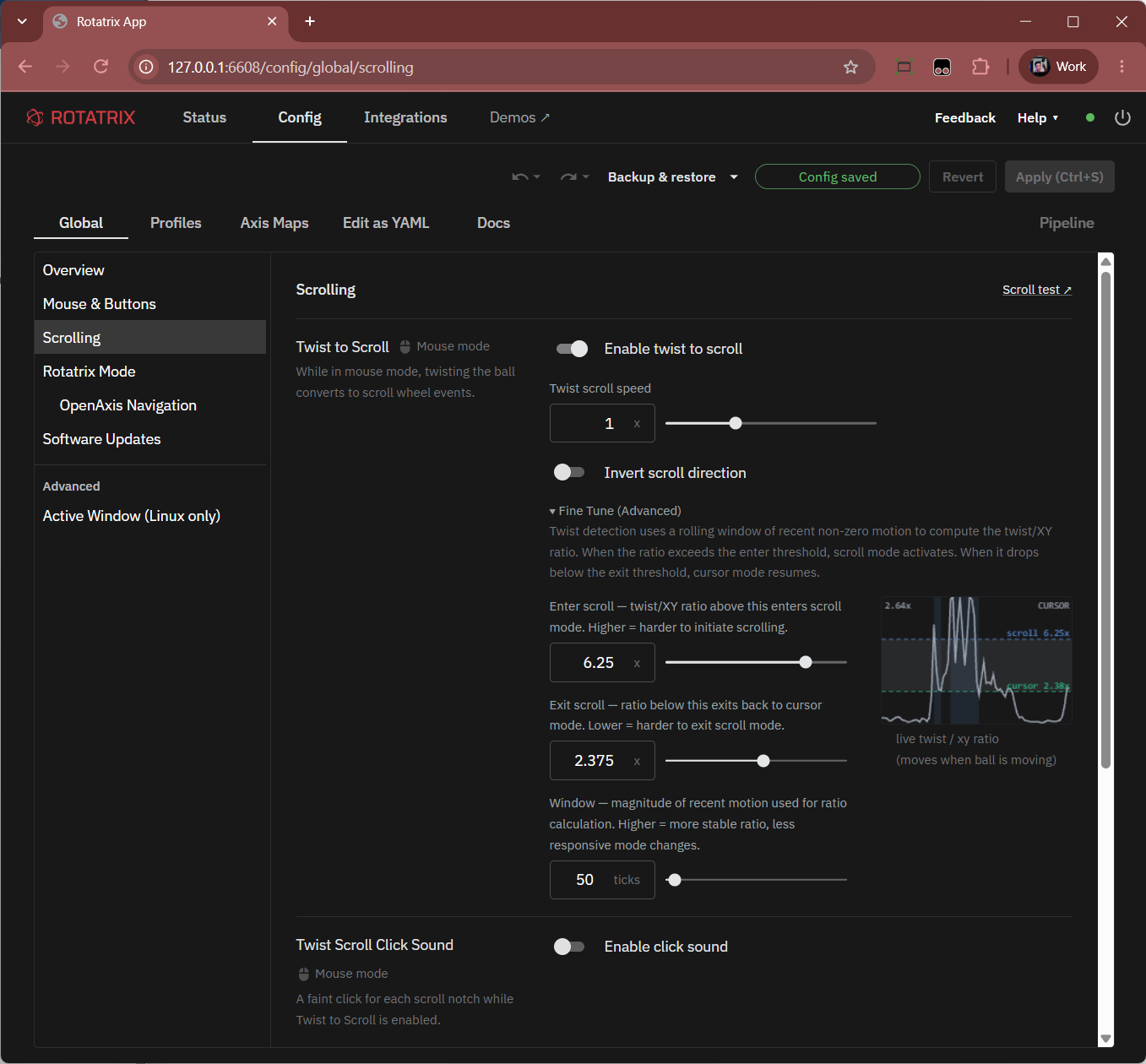
I’m having issues that the twist to scroll is not very user-friendly. If I don’t quite hit the vertical axis just right, it ignores the scroll. It is glitchy and almost unusable. (This was and issue before I even installed Rotatrix. I assembled the the DIY kit.) Is there a setting or something that would take care of this? I usually end up needing to press btn4 and rolling the ball forward and backward to scroll. I can do that, but it is more work and not as nice.
BTW, I love the navigation in all my 3D apps. It is absolutely amazing!
Are you on Mac OS by any chance? Mac OS does not support higher-resolution scrolling and it applies an OS-level acceleration. The net result is that when you twist slowly it moves only a little bit but if you twist quickly it starts scrolling much faster. Because it only reads the scroll wheel in steps, it can be easy to jump between the states. Any way to get scrolling smoother?
Otherwise, if you’re talking about the twist detectjon, could you take a video of the scrolling motion you are attempting? What happens when you drag your finger along the side of the ball - does that detect correctly?
No, Windows and Linux.
Yes, I can try to do that. I left the Rotatrix at home, so I’ll have to check tonight. It is when scrolling normally in other apps like a web browser etc. When holding Win + Shift for pan + zoom in FreeCAD and Fusion, it detects the twist flawlessly. It seems the Rotatrix mod improved it when doing the Rotatrix stuff but the less-than-ideal-scrolling inherited from Kensington is still remaining when using it for normal scrolling.
There is an ability to fine-tune the twist scrolling, in Config > Global.
I spent quite a while tuning the defaults and find it pretty robust in my usage now, but you are welcome to experiment - i.e. if it’s hard to enter scrolling, try reducing the Enter Scroll threshold.
The video can help us see if it also has to do with grip style (that will also be useful feedback for me as well).
Thanks! I was sure I was missing something somewhere. 
Another thought - since you’re on the Rotatrix Hybrid, make sure your DPI setting is correct in the base Kensington controller.
Check that the ball preview on the Status page moves 1:1 - a 90 degree rotation in each axis should move correspondingly.
From Getting Started — Rotatrix Hybrid - Troubleshooting section:
Ball motion isn’t 1:1 (too fast or too slow)
On the Status page, the on-screen ball moves too fast or too slow compared to the actual ball. This usually means the base device’s DPI is wrong. The Rotatrix controller requires the base device to be set to 800 DPI. This can only be changed when the Kensington controller is connected via wireless USB or Bluetooth:
- Plug in the Kensington-provided USB dongle.
- Set the power switch to the TOP (wireless).
- Press the DPI button on the right side of the device. After each press, the blue light blinks to indicate the current mode (1, 2, 3, or 4 blinks).
- Press until the blue light blinks twice (800 DPI).