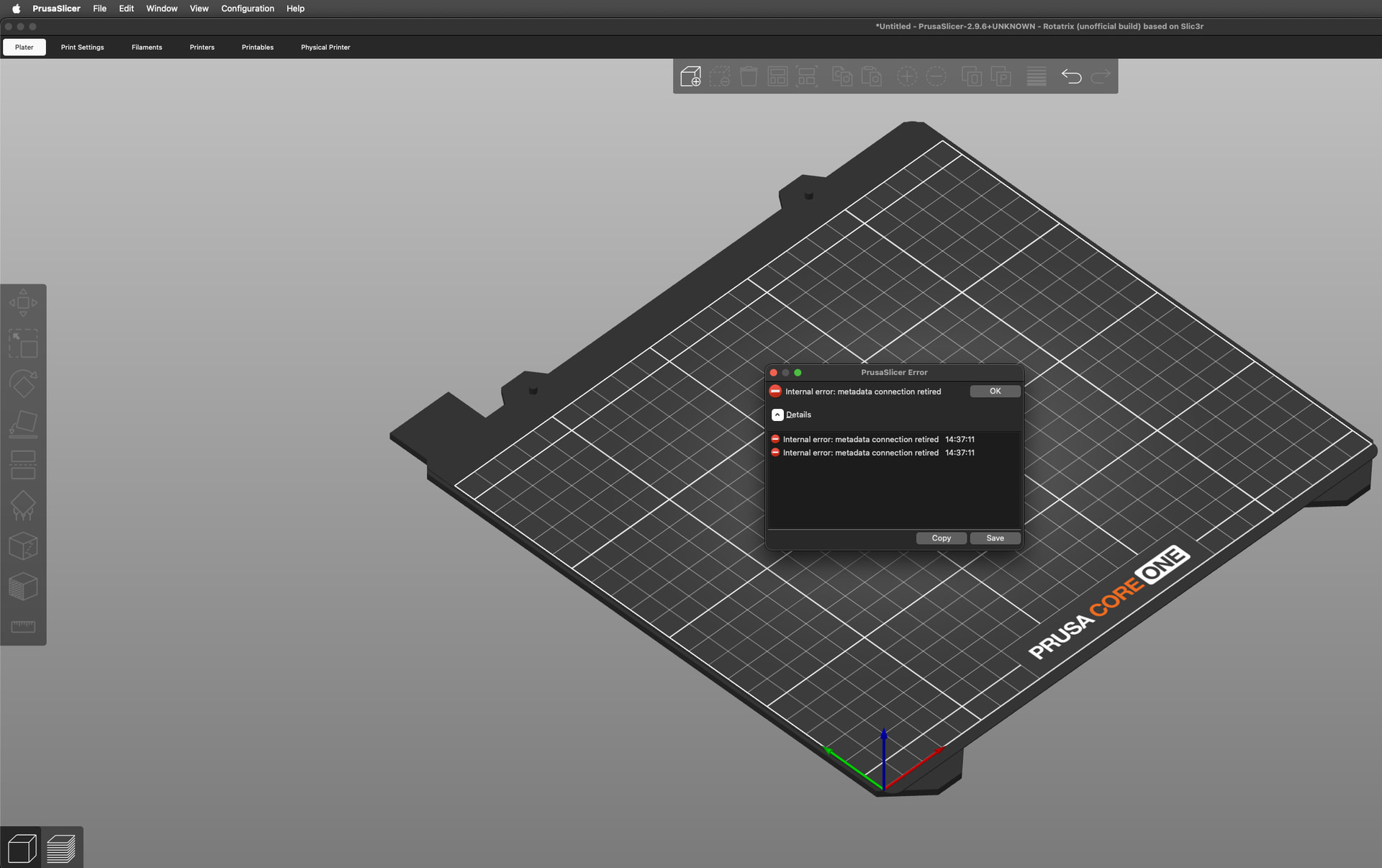
Bug: “Internal error: metadata connection retired” when loading a 3MF (2.9.6-rotatrix.1-beta.1, macOS)
Hi David,
I hope you are doing well
First of all, a huge thank you! Your KIT for the mod arrived on Friday and I couldn't wait to try it for real. What you've built is EXCEPTIONAL, almost as amazing as the new flying Tesla 🤩
With your idea you've made thousands of people who wrestle with 3D models every day happy, and I hope it will soon be millions. I wish you with all my heart that your company keeps growing and brings you lots of success.
And thanks for the beta build of Prusa Slicer, too: navigation feels great!
Using it, I hit an error you may want to look at. This happen loading this .3mf file:
Environment
- PrusaSlicer 2.9.6-rotatrix.1-beta.1 (title: “PrusaSlicer-2.9.6+UNKNOWN - Rotatrix (unofficial build)”)
- macOS on MacBook Pro M4
- Rotatrix app 1.6.0b3, trackball connected
- Printer: Prusa CORE One
Steps
- Start the build with the Rotatrix app running and connected.
- Import a 3MF exported from OpenSCAD (single mesh, ~1,000 vertices, no PrusaSlicer config inside). File attached.
Result
An error dialog appears twice at the same timestamp:
Internal error: metadata connection retired
The model is not loaded. The same file loads fine in stock PrusaSlicer 2.9.6.
Likely cause (from reading the source)
The message comes from the C++ SDK, OpenAxisConnectionManager::refresh_metadata() (cpp/src/connection_manager.cpp, tag cpp/v1.0.0-rc.1), which throws std::runtime_error("metadata connection retired") when the captured sender fails.
Inside the SDK that call is wrapped in try/catch, but OpenAxisController::poll() calls it directly when focus changes (src/slic3r/GUI/OpenAxisController.cpp, line ~201):
if (m_focused != focused) {
    m_focused = focused;
    m_connection.refresh_metadata();   // can throw
}
Opening the file dialog and loading the project toggles focus, so if the socket is being retired at that moment the exception escapes into the wx event loop and PrusaSlicer reports it as an internal error, aborting the load.
Suggested fix
Catch it at the call site and let the connection manager reconnect, for example:
try { m_connection.refresh_metadata(); }
catch (const std::exception &e) {
    BOOST_LOG_TRIVIAL(warning) << "OpenAxis: " << e.what();
}
Or make refresh_metadata() non-throwing for callers outside the SDK.
Happy to test a new build. Thanks!
Wishing you a wonderful day ahead
Bye, Mario