Updated October 30: Rotatrix 1.6 is now stable. This post describes the final release; earlier replies below cover the beta testing period.
Rotatrix 1.6 brings support to more applications with OpenAxis 1.0, alongside better navigation and easier control customization. The new SDKs make it easier for me—and other developers—to build integrations without recreating the communication and navigation code for each app.
More apps with OpenAxis 1.0
You can now use Rotatrix with Unity, PrusaSlicer, OrcaSlicer, Bambu Studio, KiCad, MeshLab, and OpenSCAD through new integrations built with OpenAxis. See the integration announcements to get started with each app.
I’ve also moved the existing integrations onto the same OpenAxis foundation, so navigation improvements can be developed once and brought to more apps consistently.
Want to add support to another application? OpenAxis SDKs and examples are now available for Python, C#, TypeScript, and C++. They handle communication with Rotatrix and navigation behavior, so you can focus on controlling your application.
Explore the SDKs, documentation, and examples.
Consistent controls and easier customization
Common navigation profiles let you customize controls once across supported apps, making your setup easier to maintain as more apps are added.
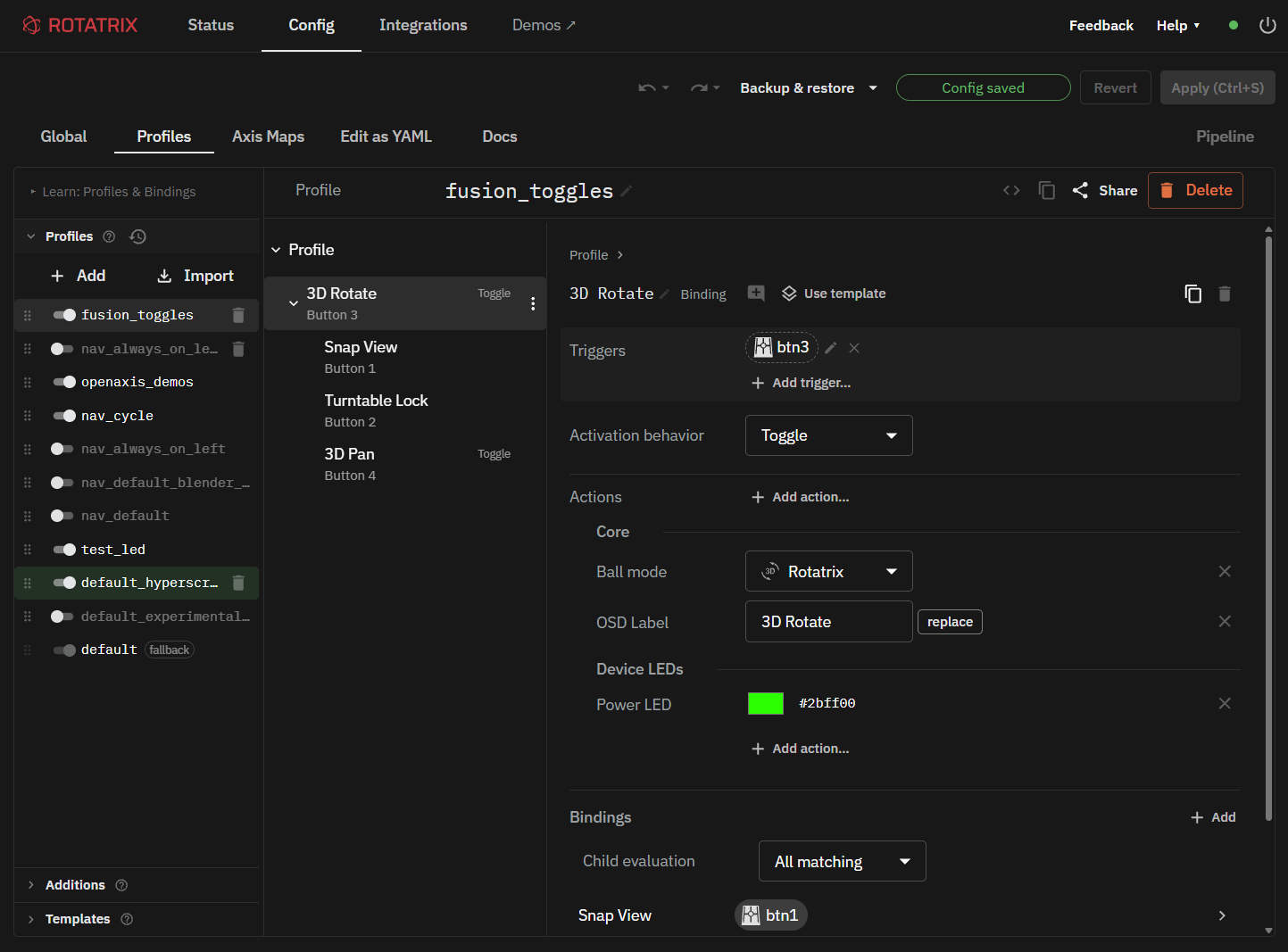
The redesigned profile editor shows bindings in a tree with details alongside it. Reusable templates and binding priorities help you build more complex controls, and you can share profiles, templates, and axis maps through .rotatrix files and import links.
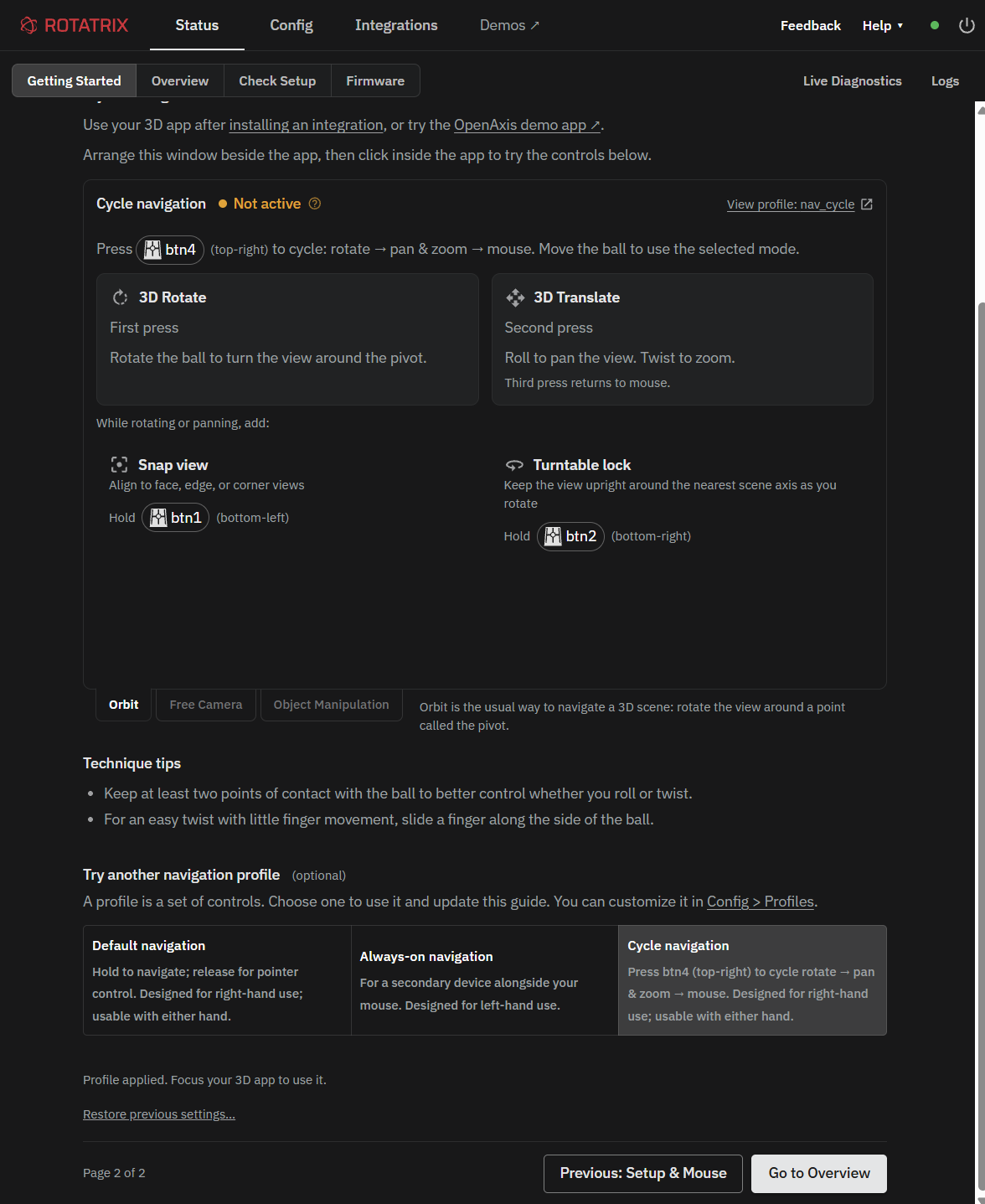
Help → Getting Started walks you through hold-to-navigate, button cycling, and always-on 3D navigation alongside your mouse. Existing users can also reset their customizations to the new bundled controls, with a change preview and automatic backup. You can create and restore configuration backups yourself, too.
Some existing custom profiles may need trigger or priority adjustments. I know that means extra work if you’ve tuned your setup. Thanks for bearing with the transition—the goal is to keep your controls consistent as support expands to new apps.
Better navigation and object manipulation
Use Rotatrix alongside your mouse, with input following the focused app instance. Pivot selection is more consistent, including when the model or selection center is off-screen, with fixes and performance improvements across the existing integrations.
Experimental object manipulation is also available:
-
Blender 4.2+: press R twice to rotate one selected object or pose bone; hold Shift to move it. G and a single R retain their normal behavior.
-
Rhino: run
RotatrixTransformto move and rotate selected whole objects. Enter commits; Escape cancels.
Updating to 1.6
Update Rotatrix and your integrations together—the new integrations require Rotatrix 1.6 and won’t work with older versions.
-
Update Rotatrix through Config → Global → Software Updates.
-
Update your installed integrations from the Integrations page.
-
Try your existing controls, or use Help → Getting Started to review and apply the new bundled controls.
The new defaults reverse button 4’s previous behavior: hold it to rotate; add Shift to pan and zoom.
Restore a saved configuration through Config → Backup & restore → Restore backup… Already on a 1.6 beta? Update normally and check for integration updates too.
See the changelog in the app for the full list of changes. Questions and feedback are welcome here; for bugs or help adapting custom controls, please start a topic in Help & Troubleshooting.