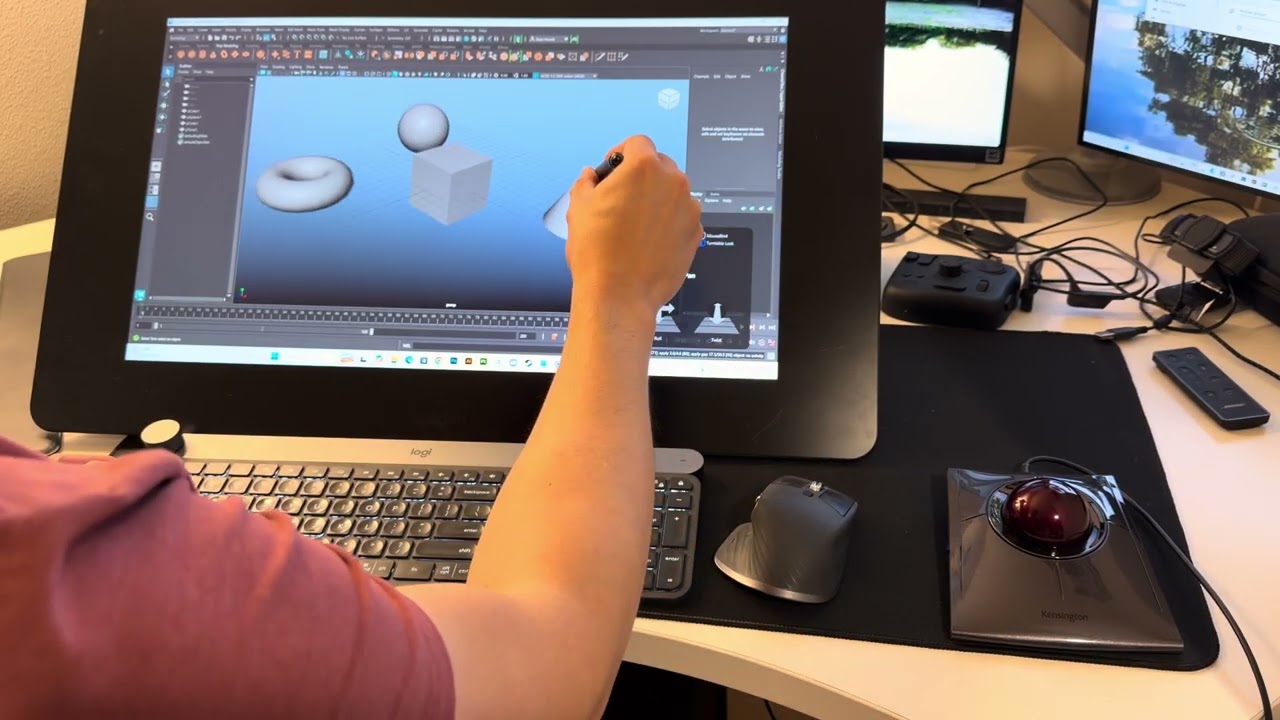
I was able to use an AI agent to backwards engineer the Blender Plugin to get it to work with Maya! So it’s working there for me now.
And then, while I was painting skin weights, and frustrated that I had to keep setting down my pen for the mouse or the trackball to pan (I disable the buttons on the pen to prevent accidental clicks while drawing.) I realized I have a Wacom Art Pen. That detects barrel roll, just like the track ball detects twist. So I was able to modify the plugin to get it to work with the Wacom Art Pen as well!
Very cool, thanks for sharing the video! I see now you are actually using the pen as a 3-axis input without the ball altogether, clever idea. How does the data get into Rotatrix, or is your plugin reading the pen’s roll directly?
I have also thought it would be interesting to try using the Rotatrix with the left hand while drawing with the right - especially for tablet pens without the roll axis.
Its reading the pen input through the Maya plugin I made. It doesn’t need the Rotatrix app. I just have it use the same hot keys, and if it detects the pen it overrides the input to the Rotatrix to prevent competing input. I just didn’t want to have another set of hotkeys and it was that or the default inputs, and the Maya default require middle mouse for panning, so I went with the rotatrix.
I don’t know that using both devices would work well. I regularly need hot keys to adjust the brush size, opacity, or other things, so my other hand is on the keyboard or the Tourbox to control that stuff. Plus I need to be able rotate and pan. So if you did that you get into the same situation as before that plugin or like the space mouse where my hand has to switch from something regularly. There’s just no getting away from needing the keyboard.
Also, here’s my git hub where I’ve been uploading progress and changes. I guess the installer didn’t work right before so hopefully it works right now. I hadn’t actually installed it on another computer till making that video.
https://github.com/savetheninjas/rotatrix-maya
1 Like
Speaking of the tour box, for pens without barrel roll, that would be another good device to use. The tour box pro has two dials and a scroll wheel on it. You could augment Mayas default camera options to have one of those drive twist on top of the default controls. Same for any of the cad options. It might be a little weird because you would be using the mouse for like XY rotation and the dial for Z. But an alternative method.
That makes sense wrt needing the keyboard or more controls. I did get to try a Tourbox hands on briefly and it’s cool how many controls they’ve managed to integrate.
Yes, a dial or scroll wheel could certainly provide the raw degree of freedom. For 3D rotation I think the advantage of both your pen method as well as Rotatrix is that they are a single unified object, rather than a separate dial.