I’m a 15 year user of SW, CSWE, former VAR support agent and worked in various industries from robotics and automachine, mining and bulk material handling and broader across many types of fabrication, and Rotatrix was very appealing to me, given the past 6 years i have been heavily invested into Reverse Eng and scan data, where SW really needs some help. Some addins like Geo are execllent, but they still fallover of the view side of the handling. I’ve been building my own mesh handling addin for a while and its given me alot of experience and learnings about whats possible and how easily it can be done …
So i’ve been putting together a new side panel for SW to make use of the OpenAxis1.0 driver. Principally so we have something that can push and pull to the Rotatrix app profiles, and develop a host of custom functions that better suit the SW API.
Pushing it tot he side panel gives us some huge advantage as we can run C and all sorts of functions directly from there, unlike the CommandManager tabs, Nonetheless:
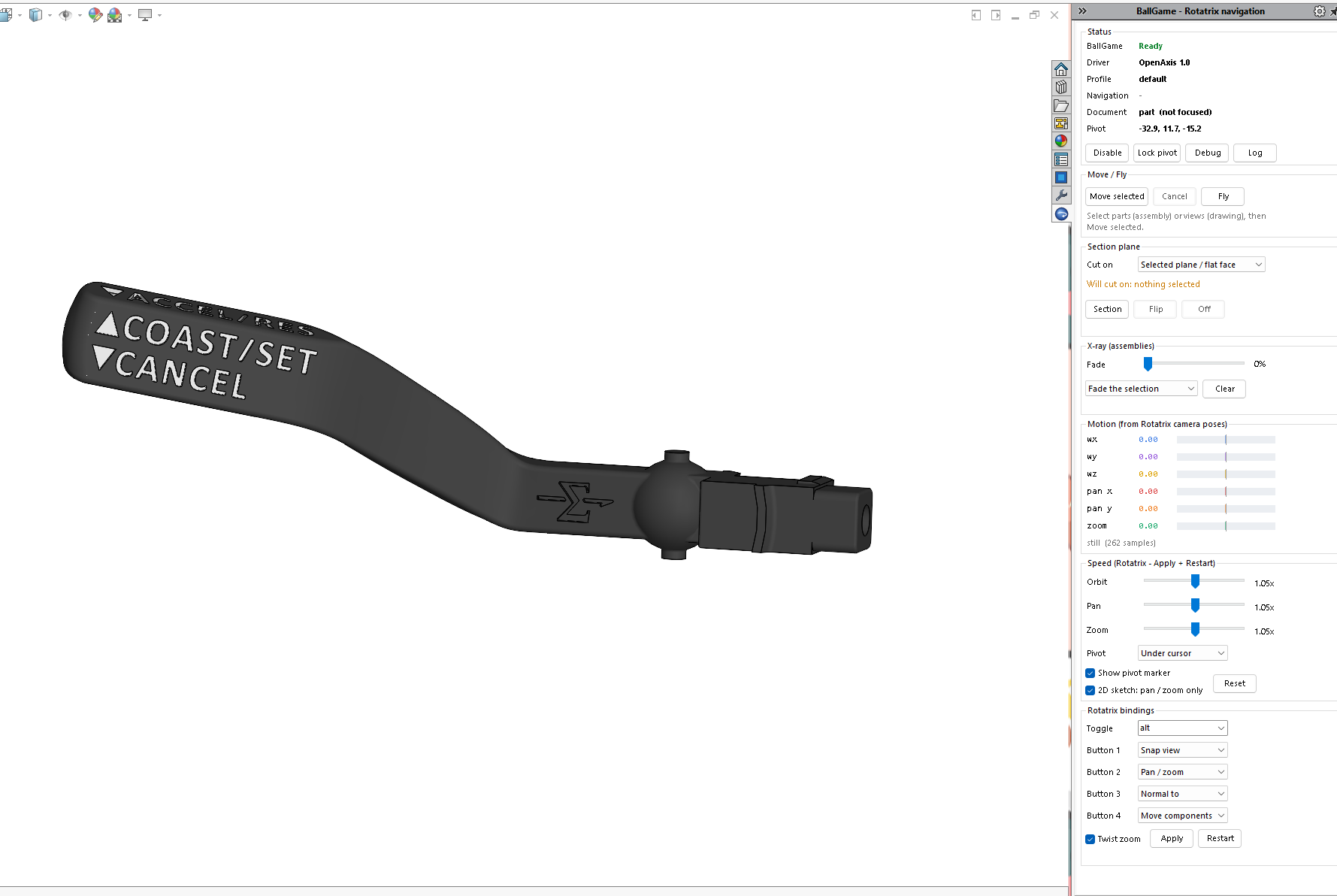
Here is BallGame, part of a suite of other addins I’ve been building over the past few months, this uses OpenAxis1.0 and the Rotatrix App, and really just sets the stage for SW to use it effectively.
Some notable features in develpment include:
Parts/ASMs:
Toggle on/off in viewspace keybind
Retains mouse functions
Auto sense 3axis symmutaneous movement
With live data feeds, bug logging, etc
Hold for pan/zoom functions
4 pivot modes; Model Centre, Origin, View Centre and Cursor Position
Cursor position works across multple display layers, so it can focus on CAD bodies, and addins like scan mesh data polygons from Geo, M2S, etc
Fly mode large environments
Auto switch to 2D pan/zoom mode for Sketches (2D)
Speed tailoring
Button binds (soon to become mode specific)
Move parts in ASM with 3D rotation and pans (Along entities to be added)
XRay transparency options for ASMs
Drawings
Auto sense 2D mode for pan and zoom functions
Move views, objects / elements
Button binds (soon to become mode specific)
This is a WIP, but i’ll have some example videos up shortly,
If you want to help me with this … jump on board, this trains already moving!
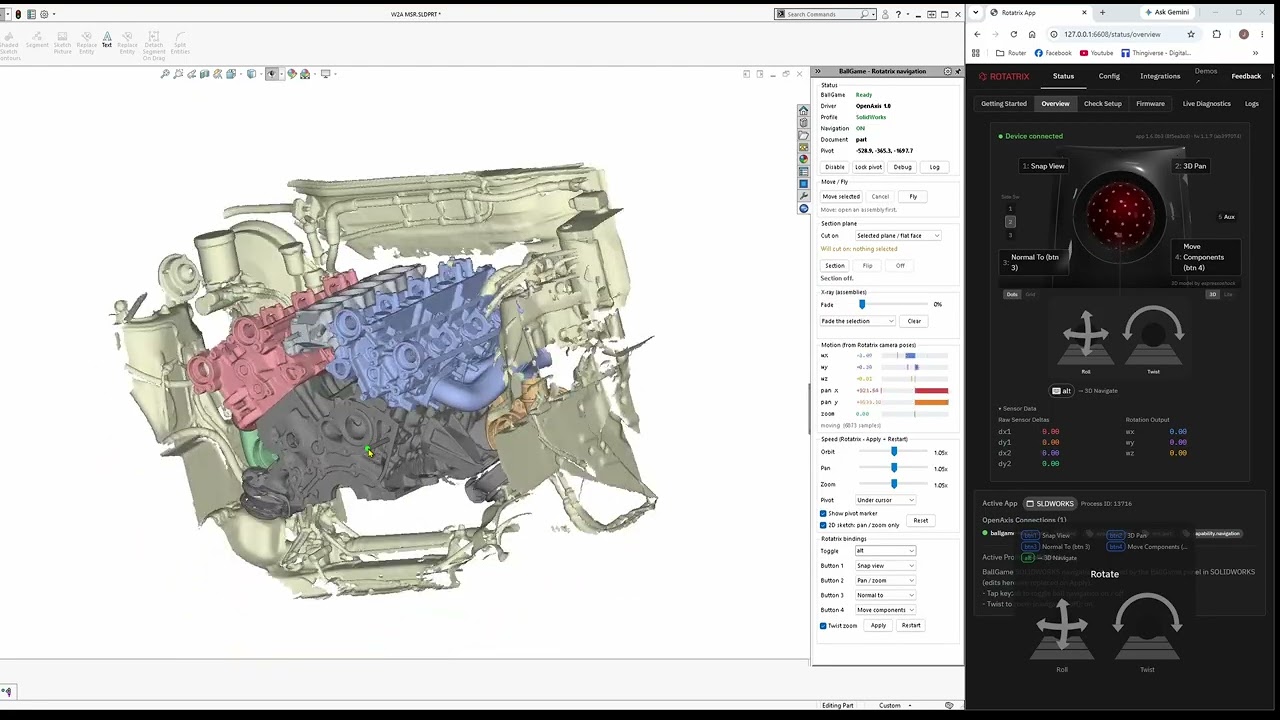
Here is a quick play around with the functions,
Again not reinventing the wheel here, the Rotatrix app and the OpenAxis drivers are doing all the communication work, here you can see the side by side with the App
BallGame is handling the SW API integration for extended features & controls, expanding what OpenAxis can do, whilst handling a profile in the app organising how commands are used.
This looks fantastic! I see you’ve implemented not just 3D camera control but also the object manipulation, 2D canvas navigation, and also the free camera (fly) functions. That looks like a very complete OpenAxis client implementation.
If I understand correctly, the other functions for rebinding buttons & changing speed, are actually updating the Rotatrix app’s config with a Solidworks specific profile? But it should also work just fine if users want to use their existing shared navigation profile as the rest of their supported apps, right? I like the exploration into having a simplified config generator.
Really great work and I hope others can try it out soon. BTW, I’m building an online integration catalog in the Rotatrix app and corresponding OpenAxis SDK functions for the 1.7 release - it will allow you to have an entry in the Integrations tab of the Rotatrix app for auto-detection of Solidworks and one-click installation just like my official integrations.
Correct, should just be pushbing and pulling through a SW profile in the Rotatrix app, so other programs should remain entirely intact, i have a few other implementations installed too.
Excellent, well hopefully soon we should be able to add something to that catalogue
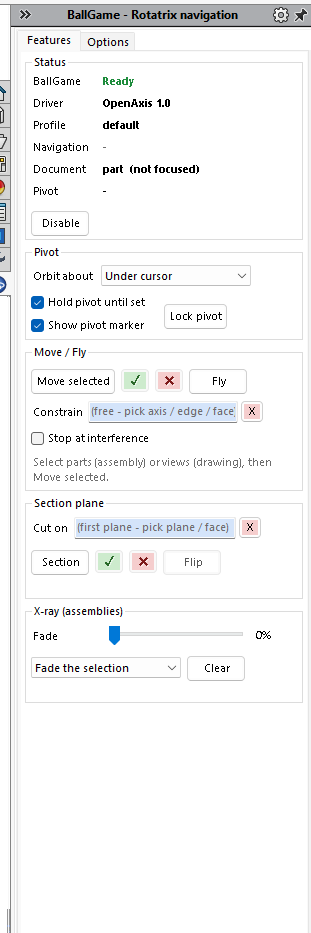
We are now into 2 tabs! lots of room for activities!
We have some vast UI updates for clarity, along with added movement constraints for assemblies, e.g. moving along plane, face, axis or edge, with interference detection on your moves,
Additionally I have clarified the selected plane for sectioning and improved the lock on for cusor pivot points.
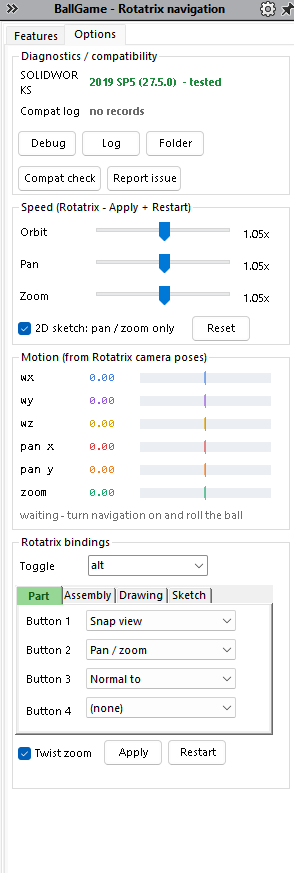
Furthermore, button binds are now set across the 4 modes, Part, Assembly, Drawing and 2D Sketch, where as a bind retains your mouse function, so for drawings and sketches, you can fully retain the mouse functions and just togle your activation (alt in my case) on and off for view manipulation. So you dont have to sway to and from your mouse and rotatrix.
The highlighted tab is clarifying the actiove mode and binds,
I’ve now implemented version testing from 2019 through to 2025, will need some help to run on 2026 as i dont have a subs with an install of 2026 (yet), which ill be running through this week across a few machines i have,
But if you’d like a pre-release version to test, give me a shout
Hi, this looks amazing. I would love to try it out and give feedback. I have SW2026 so i should be able to test out any bugs you might not have encountered.
Firstly, be aware I’m in Aus at GMT+8 so sometimes a bit of delay in reply whilst we sleep as oposing times to the states, and a working day out from the UK,
Yes this was built on Rotatrix 1.6 beta, moved to 1.6.0 and 1.7.0, but it really shouldnt matter is its just handling the communication and the profile to the device side.
Its run on the OpenAxis 1.0 addin as a base, we just have to repackage it into an addin that had a broader support for the SW API giving us the feature set.
I will be organising some installers over the weekend, and i’ll be able to get you guys onboard for some testing.