Modification to hardware to allow single-handed 6-DoF operation

One thing I miss with Rotatrix versus SpaceMouse is the ability to manipulate 6-DoF with one hand leaving the other free for keyboard or mouse. Rotatrix has just 3-DoF requiring two modes and some action to switch between modes. The default profile for Autodesk Fusion uses keyboard modifiers making it a two-handed operation. It is possible to reconfigure to use the buttons on the device, but these are not ergonomic to hold down whilst manipulating the ball with the same hand.

It occurred to me that if I repositioned the rubber feet of the device so that pressure on the front edge would cause it to tilt slightly, and this tilt could be sensed, then a switch could be actuated by pressing with the heal of the hand whilst the fingers still rested naturally on the ball. Some experiments gave confidence that this worked well and very ergonomically.
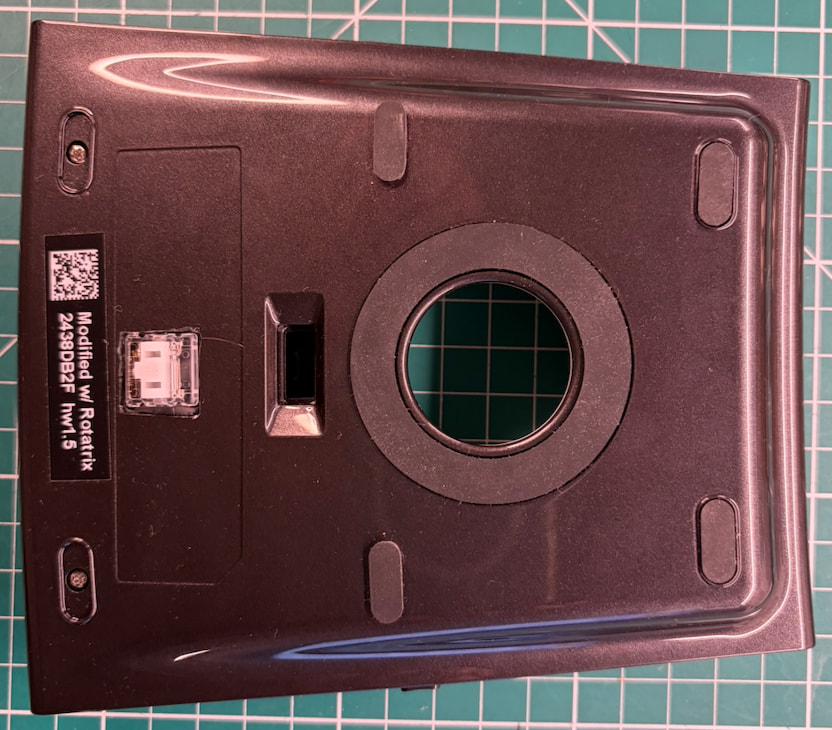
To implement the idea, I Dremmeled a hole in the base of the device and mounted a mechanical keyboard switch (I used a low-profile Kailh CHOC) so it would press on the desk when the device was tilted forward. I wired this up so it shorted the rear right button switch on the circuit board when pressed.
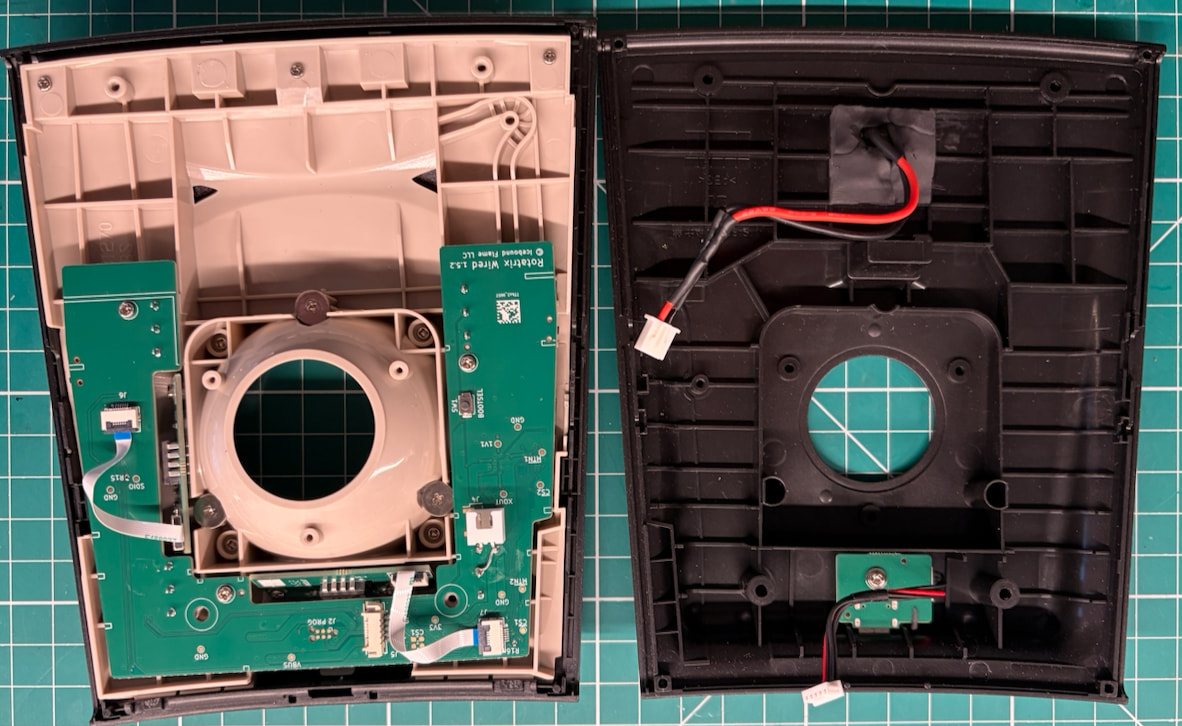
This is not a practical implementation for a product sold for DIY installation. But it occurred that a similar effect could be achieved in a more high-tech way by adding an accelerometer chip to the circuit board. With suitable calibration routines in the microcontroller it should be possible to implement a tilt switch which would be an additional input option rather than usurping one of the device buttons. Customers could choose to implement it or not just by the position of the rubber feet when they are replaced on the base.

Very nice mod! You could also consider using btn5 (the side “DPI” button) if you still want the btn4 separately mappable. Maybe I should expose some extra GPIOs on a future PCB rev for custom mods like this.

I’m a fan of the idea of using the palm as an extra bit of input bandwidth. I’ve done a keyboard mod with a similar concept: Kinesis Keyboard Palm Keys - David Liu

Yes, the basic problem is inherited from the SlimBlade since its buttons are not very ergonomic. In pointer mode, I find I have to position the pointer and then completely reposition my hand to press a button and it is very uncomfortable to hold btn4 down while rotating the ball for scrolling.

I found I’d accidentally fixed the scrolling problem since now you switch to scrolling mode by tilting! This works really nicely, so maybe I should suggest it to Kensington too! But maybe it would be better to use btn5 as you suggest and remap it to the scrolling function.

Plus One vote on surfacing any unused GPIOs on a future revision of the board! Maybe you could dedicate one GPIO to a neopixel chain to let us pimp the device with colour light shows?

Ah yeah it seems to vary a lot based on hand size and grip. For me (right handed use), btn1,2,4 are easily accessed and I can drag with them, but btn3 requires me to rotate my hand slightly to move my thumb up.

At least one user with larger hands told me they find btn1,3,4 easy, but they have to curl their pinky to use btn2 - I myself experience that when I use the smaller Ploopy Adept.

And noted - cool ideas especially for a future maker edition.

Along these lines, a while back in Discord someone used an accelerometer to add “tap on ball” to click!